





SPX Locker

 ()
()
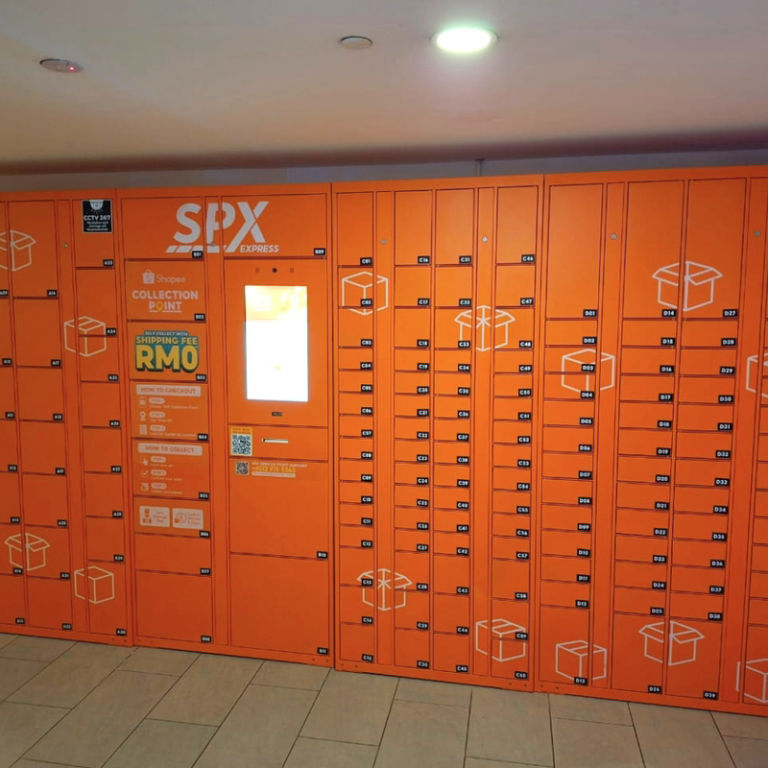
The self‑service parcel locker option from SPX Express Malaysia. Pick up your parcels securely and conveniently at automated locker. You may collect it within the given collection window after it has been delivered and placed into the locker by the SPX rider.
1. How do I use SPX Parcel Locker?
Here’s how it works:
Step 1: Select “Self Collection Point” during checkout on the Shopee App
Step 2: The rider delivers and scans your parcel into your selected locker
Step 3: You’ll receive a notification via the Shopee App and WhatsApp once it’s ready
Step 4: Collect your parcel within 5 days
⚠️Note: If the parcel is not collected within 5 days, the order will be cancelled, and the parcel will be returned to the seller.
2. How do I collect my parcel from the locker?
Once your parcel is ready:
Step 1: You’ll receive a 6-digit PIN via the Shopee App and WhatsApp
Step 2: Visit your selected locker within 5 days
Step 3: Press “Collection” on the locker screen
Step 4: Enter your 6-digit PIN
Step 5: Press “Collect Now”
Step 6: The locker door will open automatically, and you can collect your parcel